Illustrator

bokeh-special-effect

Illustrator Special Effects #6: Bokeh Background

In this quick tip tutorial I’m going to show you how to create a quick and easy bokeh special effect. You will learn interesting techniques on how to use a very useful Scatter Brush, along with the basic shape tools, the Gaussian Blur effect and a little dose of gradients. So, let’s get started!

bank-vault

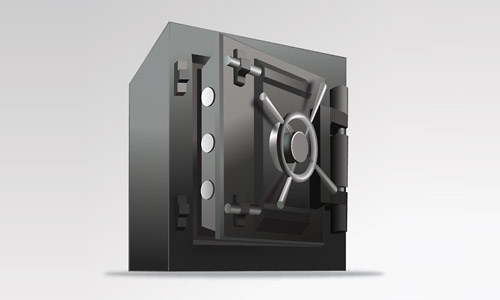
Premium Tutorial: Bank Vault

In this tutorial, we will show how to illustrate a bank vault. It consists of simple lines but the illustration of the door handle is a little difficult. The variety of colors is limited; therefore we will create color gradients to show the difference between the brightness and darkness. Let’s get started!

lightning-bolt-effect

Illustrator Special Effects #5: Vector Lightning Background

This Illustrator tutorial go through some really basic and important Illustrator techniques while showing you how to create a fearsome lightning bolt from scratch. You will be using Roughen effect, tweak effect and much more to create the lightning effect.

152

Illustrator Tutorial: Love Cassette Tape

In this tutorial, you will learn how to create a very realistic and detailed cassette tape using simple tools and techniques like the Pathfinder, Align, Blend, Clipping Mask, etc. in Adobe Illustrator. Let’s start!

digital-world-map-background

Illustrator Special Effects #2: Digital World Map Background

In this quick tip tutorial I’m going to show you how to create a quick and easy mosaic digital world map. Using the shape tools, some gradients and the blend tool, you will be able to create nice looking vector backgrounds. Let’s get started!

Scroll to Top