final image (3)

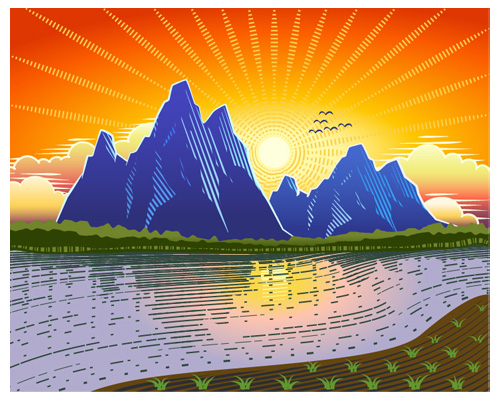
Premium Tutorial: Sunset Landscape with Woodcut Style

In today’s tutorial, I’m going to show you how to create a sunset landscape with woodcut style in Adobe Illustrator. We’ll use vector shape building techniques, as well as stroke palette, vector masks, gradients and more.

coffee cup

Illustrator Special Effects: Draw a Realistic Coffee Cup Background

This Illustrator tutorial go through some really basic and important Illustrator techniques while showing you how to create a realistic cup of coffee from scratch. You will learn interesting techniques on how to use the Appearance Panel in Illustrator CS6 with its very useful features. Using various techniques, we can create really realistic water effects. …

Illustrator Special Effects: Draw a Realistic Coffee Cup Background Read More »

Final

Illustrator Tutorial: Create a Flat Style Work Space

In today’s tutorial, I’m going to show you how to create a simple flat style work area using Adobe Illustrator. No special drawing skills are required here because we’ll be working with simple geometrical shapes, the Align and the Pathfinder palette. Let’s get started!

final image (4)

Premium Tutorial: Retro Pin-up Girl

In this tutorial you’ll learn to create a retro pin-up girl in Adobe Illustrator. We’ll use simple shapes, Pathfinder palette, some different Width Profiles in the Stroke palette, which are easy to apply in other illustrations. So let’s jump in and begin creating!

final image (5)

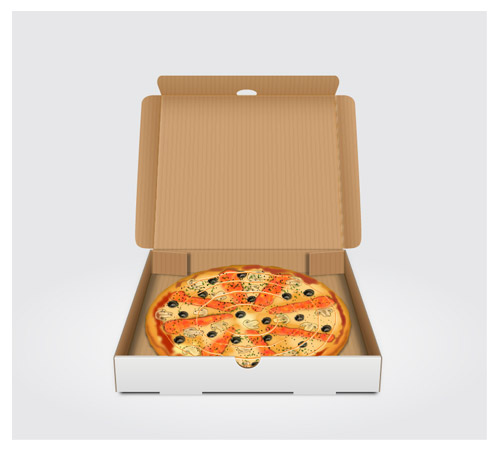
Premium Tutorial: Pizza Delivery Box

Follow this tutorial and learn how to draw a pizza in a box using Adobe Illustrator. The tutorial is composed of two main parts; creating pizza box and creating the pizza itself. We will start from some basic shapes and with a few building techniques that involve the Direct Selection Tool, the Align and the Pathfinder palette, Roughen …

Premium Tutorial: Pizza Delivery Box Read More »

water drops

Illustrator Special Effects: Water Drops Background

In this easy to follow tutorial I’m going to show you how to create a colorful, Background covered with water drops. You will learn interesting techniques on how to use various symbolism tools, along with a very useful Mesh Tool, in order to achieve a realistic effect. So, let’s get started!

Scroll to Top